
AI Summaries arrive in Documents and Issues
Long-running issues and dense contract documents just got a lot easier to digest. In UniPhi 22 you can generate an AI Summary of any Issue or any Document with a single click, directly inside UniPhi.
Why it matters
Issues in UniPhi accumulate months of comments, appended emails and actions. Getting across a long thread you have not been involved in can take ten minutes of scrolling; the AI Summary reduces it to a few seconds.
The same applies to documents: a certified progress claim, PCG report or contract document can be distilled into a short executive-style summary that captures the parties, values, percentage complete, adjustments and outstanding items.
How to use it — Issues
1. Open any issue from the Issues module register.
2. Click the AI (sparkle) button in the toolbar at the top of the issue.
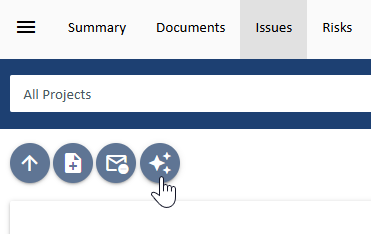
3. An AI Summary section appears beneath the issue title, summarising the comment history, attached correspondence and current actions — including who each action is assigned to.

4. Rate the result with the thumbs up / thumbs down icons — your feedback trains the summariser to produce better results.
How to use it — Documents
1. Open a document from the Documents module.
2. Click the AI (sparkle) button in the document toolbar.

3. The AI Summary panel is generated at the top of the document view, with the generating user and timestamp recorded (e.g. “Generated By Jo Bloggs at 17 Jul 2026”).

Every summary is clearly labelled “AI Summary may contain mistakes” with a “read more” link explaining how the feature works and how to interpret the output.
Comments