
How to Manually Phase Costs in UniPhi
Updated: Mar 25
Overview
Manual phasing is used when a user wants to directly control how a value is timephased across financial periods.
This approach is commonly used when the timing of a cost or contract value is known and does not need to be calculated automatically.
Users can either manually enter timephased values directly into the monthly columns, build up a total and then adjust the timephasing, or import timephased values from Excel.
Phasing can be performed at the Project / Account Code level or within Contracts and Untendered Forecasts. Values entered at the Contract or Untendered Forecast level will roll up to the Project / Account Code level.
Step-by-Step: Manually phasing a cost
Select the relevant project using the portfolio filter dropdown.

Navigate to the Cost Module
Select the Phasing tab.

Choose the relevant Chart of Accounts.

You can choose to view and phase the Budget, the Actual/Forecast, or both.

Choose whether to phase by currency amount or by percentage.

Locate the cost code you want to phase and make sure the phasing method is set to manual.
Ensure relevant columns are visible
in the view, including:• Related CoA• Related To• Relationship• Lifecycle
These fields allow you to define dependencies between cost or revenue codes and control how their timing aligns.
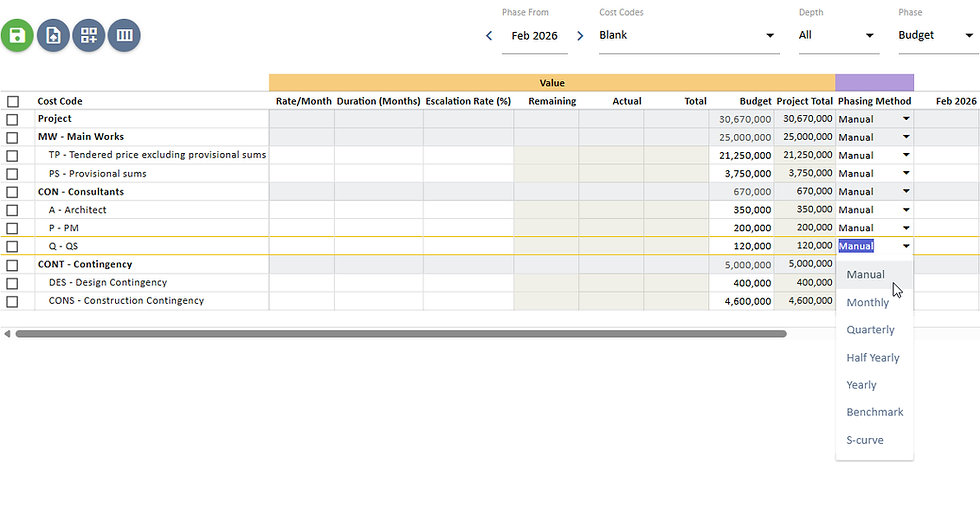
Enter values directly into the monthly columns.

Review the Phased Total and Variance columns.
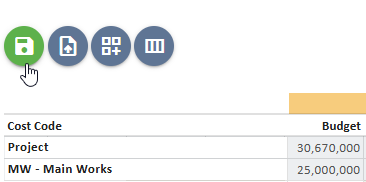
Click Save to store the changes.
As values are entered, UniPhi updates totals automatically so users can see immediately whether the phased values match the intended total.

The Phased Total represents the total of all timephased values, and Variance shows the difference between the phased total and the overall value.
Example
A cost item with a total budget of $120,000 that will occur evenly over three months can be phased as:
Month | Value |
Jan | 40,000 |
Feb | 40,000 |
Mar | 40,000 |
The phased total will equal the total budget, and the variance should be zero.
If a relationship is defined to another cost or revenue code, the timing of these manually entered values may adjust based on the defined relationship.


Comments