
Using Auto Phasing and Scheduling Fields
Updated: Mar 25
Overview
Auto phasing is useful when the timing of a value should be determined by scheduling information rather than manually entered month by month. Instead of entering values into each month, users define parameters such as dates or duration, and UniPhi generates the timephased distribution automatically.
This approach is often used when costs or revenue values align with lifecycle phases or scheduled work periods.
Users can either: build up a total value (e.g. using rate × duration or lump sum) and allow UniPhi to automatically timephase it, manually enter timephased values directly into the monthly columns, or import timephased values from Excel.
Phasing can be performed at different levels: at the Project / Account Code level, or within Contracts and Untendered Forecasts. Values entered at the Contract or Untendered Forecast level will roll up to the Project / Account Code level.
Step-by-Step: Automatically phasing a value
Go to the Costs Module> Phasing screen after selecting the relevant project.

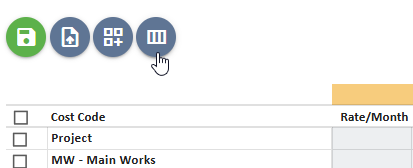
Ensure your view displays scheduling columns such as Lifecycle, Start Date, End Date, Duration, and Phasing Method.
Additional columns available in the view include:
Related CoA – allows you to define a relationship between one cost/revenue code and another
Related To – selects which cost/revenue code this line is linked to
Relationship – defines how the timing should follow
Lifecycle – assigns the timing based on lifecycle phase

Locate the line item to phase and enter the relevant scheduling information.
Phasing can be driven either by manually entering Start and End Dates, or by selecting a Lifecycle phase which will automatically populate the schedule dates.

If needed you can also link one cost or revenue code to another using the Related CoA and Related To field. You must also define the Relationship to control how the timing behaves.
For example, a supervision cost code could be related to a construction cost code so that its timing follows the construction period. This ensures that if the construction dates move, the supervision cost automatically shifts as well.

Select the appropriate Phasing Method. The available options include Manual, Monthly, Quarterly, Half Yearly, Yearly, Benchmark, and S-curve. These determine how the total value is distributed across the defined timeframe.

Save the changes.

Review the generated monthly phasing.
The system will automatically generate the timephased values across the defined timeframe.

Building totals using rate and duration
Totals can also be generated using structured inputs.
For example:
Rate per month × Duration (months)
Quantity × Rate
This is commonly used for consultant services or recurring project costs where the cost is based on a measurable unit rather than a single fixed amount.
Bulk actions

These buttons appear when you tick one or more cost or revenue codes.
They allow you to apply changes to multiple lines at once:
Offset - Shift the timing of selected lines forward or backward

Copy Budget - Push selected values into the budget
Re-baseline - Set the current values/timing as the new baseline
Clear - Remove phasing or reset the selected lines
This is useful for quickly updating multiple deliverables without editing each one individually.


Comments